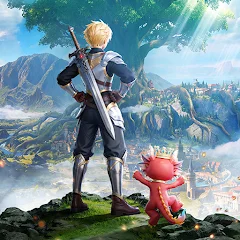
Azure Tale
0.05+

Azure Tale

異世界アドベンチャー MMORPG

LDPlayerを使ってPCでプレイ
recommend
OnBudget Games
Azure TaleをPCにダウンロードする方法
更新日: 2026-03-28
com.ysqy.asgp
シェア:
  • 概要

  • FAQ

PCでLDPlayerを使用してAzure Taleをプレイ

Azure TaleはOnBudget Gamesが開発したロールプレイングゲームであり、LDPlayerはWindows PC上でAzure Taleをプレイするための最適なプラットフォームであり、Azure Taleで没入型の体験を提供します。

PCでAzure Taleをプレイする際、新しいアカウントを作成する初心者プレーヤーとして、マルチインスタンスと同期機能は非常に便利です。複数のエミュレーターを複製して同期プロセスを開始し、好きなヒーローが出るまでアカウントを連携できます。

また、操作録画は、レベルアップやタスクの完了が必要なゲームにとって素晴らしい選択肢です!同期器を実行し、操作を録画し、主インスタンスの操作をリアルタイムで繰り返すことで、2つ以上のアカウントを同時に実行できます。他のプレイヤーよりも早く好きなヒーローを手に入れることができます!これは、高速リセマラとより時間の節約につながります!今すぐPCでAzure Taleをダウンロードしてプレイを始めましょう!

🏰【Aerylia Continent · A Brand New Journey】⚔

The mysterious gate has opened, and an uncharted adventure awaits you!
Here, every choice is a new beginning, every encounter a delightful surprise——

=====Story=====

In ancient times, the continent of Arelia was nothing but barren land.The powerful dragon race led humans and other creatures to develop and build the continent into a fertile realm.
Over centuries, the profession of adventurers emerged among humans. They explored the traces of the continent, seeking the secrets and treasures left behind by the dragons.

One day, an adventurer from the Kingdom of Astaya witnessed the legendary Dawn Saint Dragon soaring through the clouds. As the news spread, the might and mystery of the dragon reignited the passion for adventure, sparking a nationwide frenzy to find it. The king then proclaimed a decree: the first adventurer to discover the dragon would be granted the kingdom's highest honor—the title of Adventurer King.

Thus began the Great Age of Adventure.

=====Features=====

▶ Diverse Classes, Seamless Switching 🔥
Tired of being stuck in one role? Explore multiple classes—Warrior, Mage, Hunter, and more—all available from the start! Switch freely anytime with zero loss in progress, and define your own playstyle. Your strategy, your rules!

▶ Hunt with Adorable Companions ⚔
Your adventure is never lonely! Catch over 100 unique cute pets, each designed to be your loyal partner. Explore every corner of Eralia with your furry (or scaly!) friends—non-stop excitement and rewards await!

▶ Team Up & Enjoy Drop Fest 🏆
More than just partying—trade, flirt, form alliances, and build your own circle in a truly open social world. Meet your destined partners, share thrilling expeditions, and create stories that last beyond the game.

▶ Live Your Social Adventure 🏰
More than just partying—trade, flirt, form alliances, and build your own circle in a truly open social world. Meet your destined partners, share thrilling expeditions, and create stories that last beyond the game.

▶ Glam Up & Shine at the Ball 💎
Choose from hundreds of stunning outfits, rendered in exquisite detail by a top-tier engine. See silk gleam, jewels sparkle, and every delicate texture come to life. Dress to impress—and steal the spotlight at the grand ball!
表示

Azure Tale PC版のスクリーンショットと動画

LDPlayerを使用してPCでAzure Taleをダウンロードしてプレイし、より広い視野、よりきれいなゲーム画面、よりクールな戦闘スキルとエフェクトを楽しんでください。究極の完璧なゲーム体験はすべてLDPlayerで。

なぜLDPlayerを使用してPCでAzure Taleをプレイするのか?

LDPlayerは、マルチインスタンス、マクロ、操作記録など、スマホでは提供されていない独自のエミュレーター機能を提供します。

マルチインスタンスと同期機能

リモートコントロール

操作記録

マルチインスタンスと同期機能リモートコントロール操作記録

複数のエミュレーターを簡単に複製して同期プロセスを開始し、お気に入りの英雄をゲットするまでアカウントをバインドし直すことで、より効率的にAzure Taleでのリロール操作を行うことができます。

  • 高FPS

    高いFPSのサポートにより、Azure Taleのゲーム画面はより滑らかで、アクションはよりスムーズです。Azure Taleのプレイの視覚的な体験と没入感を高めます。
  • キーボードとマウス

    Azure Taleでは、キャラクターの移動、スキルの選択、戦闘など、頻繁に操作する必要があります。キーボードとマウスは、より便利で迅速な操作応答を提供します。

Azure TaleをPCにダウンロードする方法

  • 1

    LDPlayerをダウンロードしてインストールします。

  • 2

    LDPlayerのシステムアプリからPlay ストアを実行してGoogleアカウントをログインします。

  • 3

    検索バーにAzure Taleと入力し、検索します。

  • 4

    検索結果からAzure Taleを選択してインストールします。

  • 5

    ダウンロードとインストールが完了したら、LDPlayerのホーム画面に戻ります。

  • 6

    LDPlayerホーム画面のゲームアイコンをクリックして、ゲームを楽しむことができます。