Monkey Word School AdventureはTHUP Gamesが開発したモスマホで動作する教育ゲームです、最高のAndroidエミュレーターであるLDPlayerを使用すると、PCでMonkey Word School Adventureをダウンロードして快適にプレイできます。
PCでMonkey Word School Adventureを実行すると、大画面で鮮明な表示が可能であり、マウスとキーボードでアプリケーションを操作することは、タッチスクリーンキーボードよりもはるかに速く、常にデバイスの電池残量の心配をする必要はありません。
マルチインスタンスと同期機能を使用すると、PC上で複数のアプリケーションやアカウントを実行できます。
また、ファイル共有機能を使用すると、画像、ビデオ、およびファイルを簡単に共有できます。
Monkey Word School AdventureをダウンロードしてPCで実行して、大画面と高解像度の画質をお楽しみください!
Get ready for adventure...Monkey Word School Adventure! Join Monkey and his jungle friends as they explore a fun-filled world of letters, sight words, phonics and spelling. Seamless game flow and behind-the-scenes performance adjustment allow your child to jump right in and begin playing and learning.For ages 3 to 7.
Monkey Word School Adventure is an entertaining and captivating way to introduce your child to the fundamental concepts behind reading and writing. The lessons range from letter recognition and writing to spelling and phonics introducing word components such as consonant blends, digraphs, irregular vowels and more! There is also a special focus on sight words, the vital building blocks of reading and writing.
=== FEATURES ===
* 6 interactive, carefully conceived, captivating games.
* Letter and word recognition.
* Introduction to digraphs, consonant blends, irregular vowels and other important concepts.
* A focus on sight words helping your child learn these vital building blocks of reading and writing.
* Uses THUP’s “Knack Technolgy ” system which automatically adjusts the difficulty of the games as your child plays.
* Customizable Settings. Select which games your child plays and at what level allowing you to focus on a single task, such as learning sight words.
* Designed for Kids: No confusing Menus or navigation.
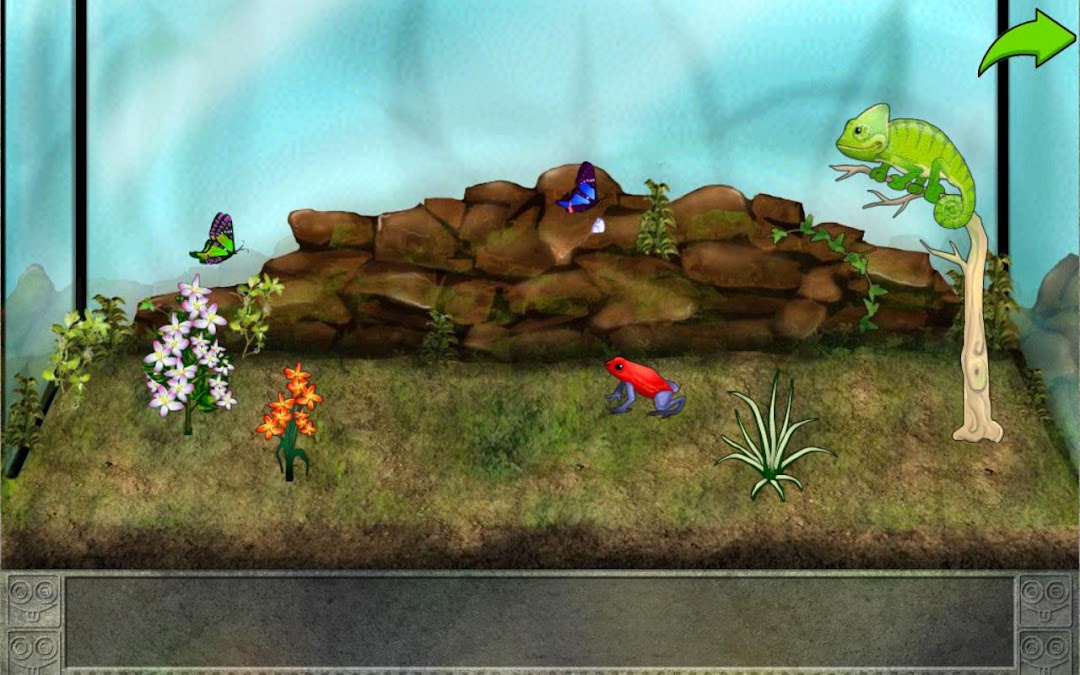
* Rewards! Kids earn frogs, butterflies, chameleons and more to put into their own customizable interactive terrarium.
=== KIDS LEARN WHILE THEY PLAY ===
* SPELLING STONE
Monkey needs help with his spelling. He can show you what it looks like, but do you know how to spell it? Use the magic gold letters to solve the puzzle!
* SIGHT BIRDS
Monkey is looking for a special gems and the sight birds have them! Help him collect as many as you can before the time runs out! Features letter recognition and sight words.
* LETTER WRITING
Learn to write uppercase and lowercase letters by carving them in the ancient stone writing wall.
* PHONICS BRIDGE
Oh no the bridge is out and two little chinchillas are going to miss their play date! Help them get together by fixing the bridge using the engineering power of phonics!
* WORD WALL
Using and ancient map Monkey has stumbled upon a mysterious puzzle. Help him solve it by finding all the words on the map!
* RHYMING MAZE
Help a greedy little Chinchilla find his treasure by drawing a path using words that rhyme!
* TERRARIUM
Populate and decorate your own interactive terrarium! Choose from tons of plants, frogs, butterflies and dragonflies to create your own uniques worlds.
Email us: support@thup.com
Like us: http://www.facebook.com/THUPgames
Follow us: http://twitter.com/THUPGames