
Tixr: Live Event Tickets
地球上で最大のライブ イベントの認証済みチケットを販売元から購入してください。
Tixr: Live Event Ticketsの運営元はTixr, Inc.であり、LDPlayerはAPKファイルのダウンロードサービスのみを提供しています

概要

FAQ
Tixr: Live Event TicketsをLDPlayerでPC上で実行
Tixr: Live Event TicketsはTixr, Inc.が開発したモスマホで動作するイベントゲームです、最高のAndroidエミュレーターであるLDPlayerを使用すると、PCでTixr: Live Event Ticketsをダウンロードして快適にプレイできます。
PCでTixr: Live Event Ticketsを実行すると、大画面で鮮明な表示が可能であり、マウスとキーボードでアプリケーションを操作することは、タッチスクリーンキーボードよりもはるかに速く、常にデバイスの電池残量の心配をする必要はありません。
マルチインスタンスと同期機能を使用すると、PC上で複数のアプリケーションやアカウントを実行できます。
また、ファイル共有機能を使用すると、画像、ビデオ、およびファイルを簡単に共有できます。
Tixr: Live Event TicketsをダウンロードしてPCで実行して、大画面と高解像度の画質をお楽しみください!
Browse concerts, music festivals, and sporting events to comedy shows, conventions, attractions, and more. Buy official tickets to the greatest live events on planet earth, while avoiding price gauging on the resale market. Manage, transfer, and upgrade purchases all in one place, and pull up tickets for quick mobile check-in.With the Tixr app, you can:
BROWSE:
- Search by event, artist, venue, or city near you and around the world
- Explore tickets, reserved seats, available merch, travel packages, parking, and more
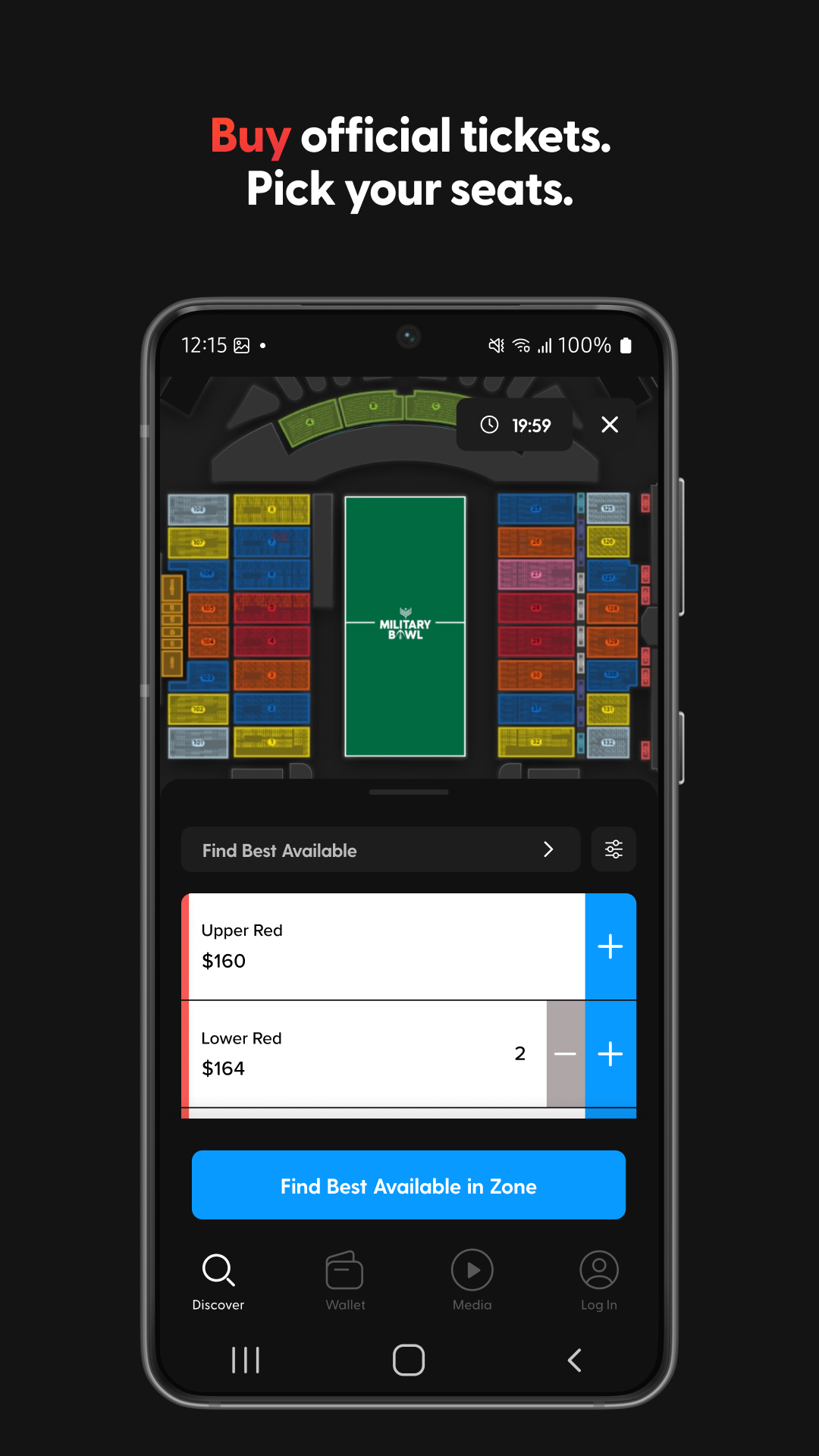
- Select your seats from realistic venue maps before you buy
BUY:
- Get tickets in seconds and store cards securely for even faster checkout
- Protect your orders to get a refund in case the unexpected happens
- Enroll in payment plans to auto-pay in installments for qualifying purchases
MANAGE:
- See your complete order history
- Transfer tickets to friends and family
- Check for available upgrades and pay the difference
ACCESS:
- Pull up QR codes in app for speedy check-in
- Sync tickets to Google Wallet to pop up when you’re close to the venue
- View your media library and watch purchased videos on demand
TRUST:
- Always pay face value instead of being price gauged by scalpers and brokers
- Protect yourself from fraud with verified tickets direct from the event creator
For account assistance or help with a recent Tixr purchase:
You can visit our FAQs 24/7 at support.tixr.com. For real human assistance, file a ticket with our Fan Support team at support.tixr.com/kb-tickets/new.
Connect with us on socials:
Facebook: @tixrhq
Instagram: @tixrhq
X: @tixr_
LinkedIn: @tixr
Tixr: Live Event Tickets PC版のスクリーンショットと動画



Tixr: Live Event TicketsをPCでダウンロードして実行する方法
 1
1LDPlayerをダウンロードしてインストールします。
 2
2LDPlayerのシステムアプリからPlay ストアを実行してGoogleアカウントをログインします。
 3
3検索バーにTixr: Live Event Ticketsと入力し、検索します。
 4
4検索結果からTixr: Live Event Ticketsを選択してインストールします。
 5
5ダウンロードとインストールが完了したら、LDPlayerのホーム画面に戻ります。
 6
6LDPlayerホーム画面のゲームアイコンをクリックして、ゲームを楽しむことができます。


