
Connect Dots: Puzzle Challenge
一致する色の点をつなげる

概要

FAQ
PCでLDPlayerを使用してConnect Dots: Puzzle Challengeをプレイ
Connect Dots: Puzzle ChallengeはOne Way Street Entertainmentが開発したモスマホで動作するパズルゲームです、最高のAndroidエミュレーターであるLDPlayerを使用すると、PCでConnect Dots: Puzzle Challengeをダウンロードして快適にプレイできます。
PCでConnect Dots: Puzzle Challengeを実行すると、大画面で鮮明な表示が可能であり、マウスとキーボードでアプリケーションを操作することは、タッチスクリーンキーボードよりもはるかに速く、常にデバイスの電池残量の心配をする必要はありません。
マルチインスタンスと同期機能を使用すると、PC上で複数のアプリケーションやアカウントを実行できます。
また、ファイル共有機能を使用すると、画像、ビデオ、およびファイルを簡単に共有できます。
Connect Dots: Puzzle ChallengeをダウンロードしてPCで実行して、大画面と高解像度の画質をお楽しみください!
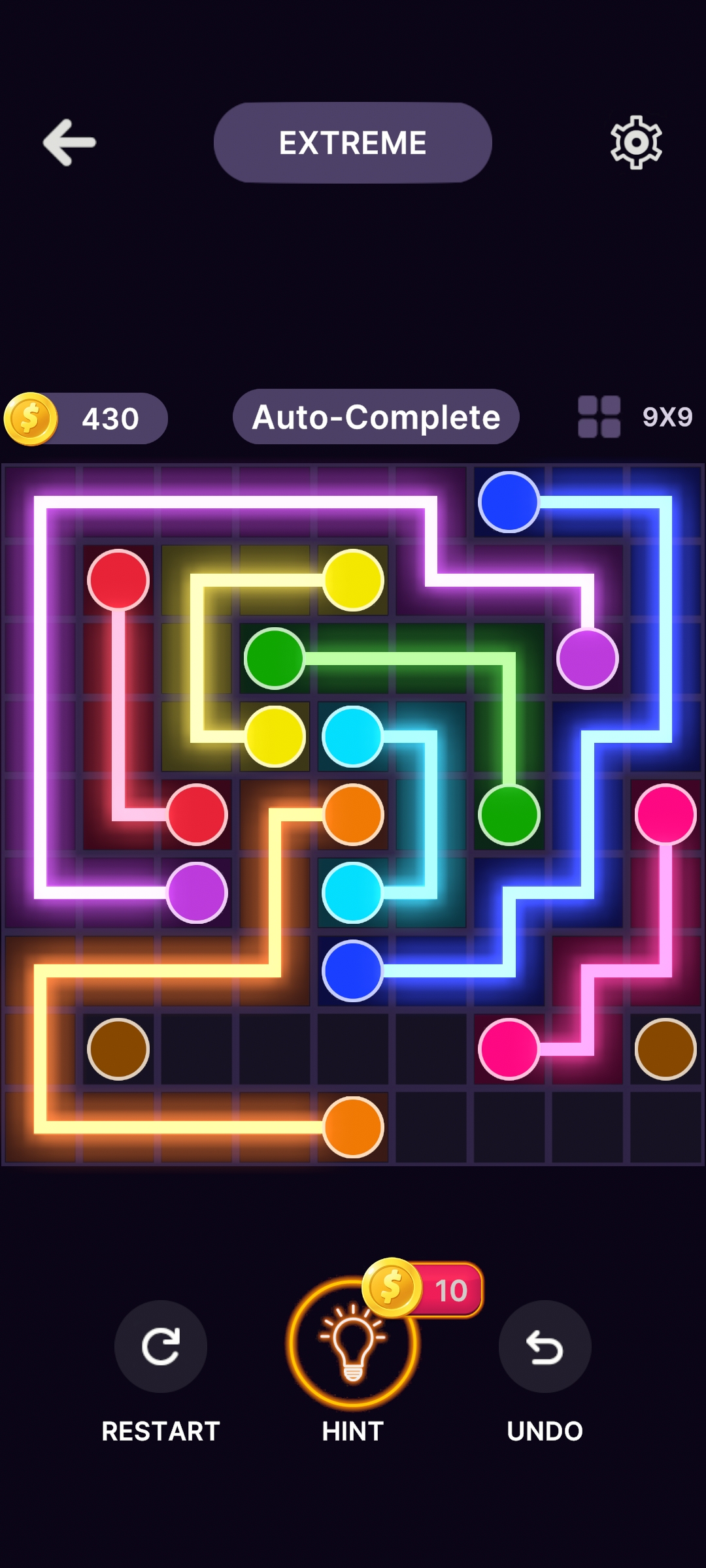
Embark on a captivating journey of mind-bending puzzles with Connect Dots! Engage your strategic thinking and visual perception as you navigate through a multitude of challenging levels.In this addictive and immersive puzzle game, your objective is simple yet deceptively challenging: connect the dots to complete intricate patterns and shapes. With each level presenting a unique arrangement of dots and obstacles, you'll need to employ clever tactics and foresight to conquer the increasingly complex challenges.
Test your problem-solving skills across a diverse range of environments, from serene landscapes to cosmic vistas, each with its own set of obstacles and surprises. As you progress, unlock new features and tools to aid you in your quest, including hints and power-ups to overcome the toughest puzzles.
Features:
- Hundreds of challenging levels to conquer
- Diverse environments with unique obstacles
- Intuitive controls and smooth gameplay
- Unlockable power-ups and hints for assistance
- Seamless and intuitive gameplay experience, suitable for players of all age
- Engaging visuals and immersive sound effects
Download Connect Dots: Puzzle Challenge now and unravel the mysteries of this mesmerizing puzzle adventure!
Connect Dots: Puzzle Challenge PC版のスクリーンショットと動画


なぜLDPlayerを使用してPCでConnect Dots: Puzzle Challengeをプレイするのか?
 マルチインスタンスと同期機能
 リモートコントロール
 カスタマイズされたコントロール




複数のエミュレーターを簡単に複製して同期プロセスを開始し、お気に入りの英雄をゲットするまでアカウントをバインドし直すことで、より効率的にConnect Dots: Puzzle Challengeでのリロール操作を行うことができます。

高FPS
高いFPSのサポートにより、Connect Dots: Puzzle Challengeのゲーム画面はより滑らかで、アクションはよりスムーズです。Connect Dots: Puzzle Challengeのプレイの視覚的な体験と没入感を高めます。
ビデオ録画
Connect Dots: Puzzle Challengeでの競技のパフォーマンスや操作プロセスを簡単に記録し、ドライビングテクニックの学習や改善、または他のプレイヤーとのゲーム体験や成果を共有するのに役立ちます。
Connect Dots: Puzzle ChallengeをPCにダウンロードする方法
 1
1LDPlayerをダウンロードしてインストールします。
 2
2LDPlayerのシステムアプリからPlay ストアを実行してGoogleアカウントをログインします。
 3
3検索バーにConnect Dots: Puzzle Challengeと入力し、検索します。
 4
4検索結果からConnect Dots: Puzzle Challengeを選択してインストールします。
 5
5ダウンロードとインストールが完了したら、LDPlayerのホーム画面に戻ります。
 6
6LDPlayerホーム画面のゲームアイコンをクリックして、ゲームを楽しむことができます。


