
Summit Watch Face
0.05+

Summit Watch Face

カスタム合併症、洗練されたデザイン、時間モード、そして無限のスタイルオプション。

LDPlayerを使ってPCでプレイ
recommend

Summit Watch Faceの運営元はamoledwatchfaces™であり

amoledwatchfaces™
Summit Watch FaceをPCにダウンロードする方法
更新日: 2026-03-02
com.amoledwatchfaces.summit
シェア:
  • 概要

  • FAQ

Summit Watch FaceをLDPlayerでPC上で実行

Summit Watch Faceはamoledwatchfaces™が開発したモスマホで動作する仕事効率化ゲームです、最高のAndroidエミュレーターであるLDPlayerを使用すると、PCでSummit Watch Faceをダウンロードして快適にプレイできます。

PCでSummit Watch Faceを実行すると、大画面で鮮明な表示が可能であり、マウスとキーボードでアプリケーションを操作することは、タッチスクリーンキーボードよりもはるかに速く、常にデバイスの電池残量の心配をする必要はありません。

マルチインスタンスと同期機能を使用すると、PC上で複数のアプリケーションやアカウントを実行できます。

また、ファイル共有機能を使用すると、画像、ビデオ、およびファイルを簡単に共有できます。

Summit Watch FaceをダウンロードしてPCで実行して、大画面と高解像度の画質をお楽しみください!

Only for Wear OS 4+ devices
// Not suitable for rectangular watches

Powered by Watch Face Format

Disclaimer for Galaxy Watch Users: The watch face editor in the Samsung Wearable app often fails to load complex watch faces like this one. This is not an issue with the watch face itself. It is recommended to customize the watch face directly on the watch until Samsung resolves this issue.

amoledwatchfaces.com

BUY ONE GET ONE OFFER!
amoledwatchfaces.com/bogo

CUSTOM COMPLICATION APPS
amoledwatchfaces.com/apps

FEATURES

• Watch Face Format 1 / 2
• flavors feature support (Wear OS 5)
• 8 custom complication slots (max)
• includes common complication types - SHORT_TEXT, LONG_TEXT, RANGED_VALUE, MONOCHROMATIC_ICON, SMALL_IMAGE
• phone notifications complication support*
• choose between hh:mm and hh:mm:ss time mode
• multilanguage
• optional digital clock fonts
• material color themes (palette)
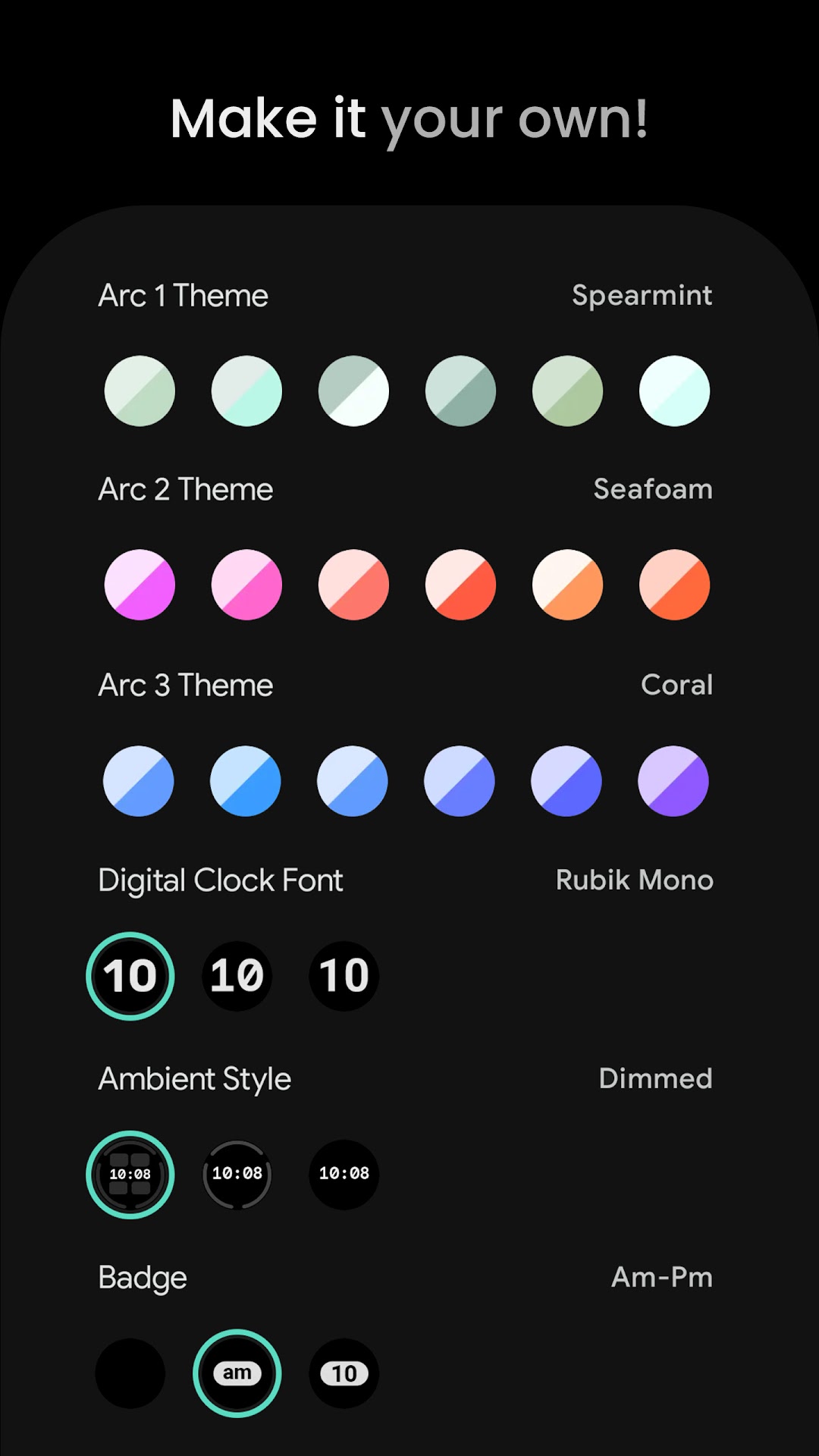
• make it your own, combine theme & separate arc color themes
• am-pm & unread notification count optional badge
• three optional AOD styles
• 12/24 h time format with leading zero

* requires Phone Battery Complication app
https://play.google.com/store/apps/details?id=com.weartools.phonebattcomp

USER CONFIGURATIONS

• Material Theme (60+)
• Arc 1 Theme (60+)
• Arc 2 Theme (60+)
• Arc 3 Theme (60+)
• Time Mode (hh:mm:ss, hh:mm)
• Digital Clock Font (3x)
• AOD (3x)
• Badge (None, Am-Pm, Unread Notification Count)
• Highlight Seconds (Toggle)
• Hollow AOD (Toggle)
• Custom Complications (8x)

Installation and troubleshooting guide
amoledwatchfaces.com/guide

Please send any issues reports or help requests to our support address
support@amoledwatchfaces.com

Join our Telegram group for live support and discussion
t.me/amoledwatchfaces

Newsletter
amoledwatchfaces.com/contact#newsletter

amoledwatchfaces™ - Awf
表示

Summit Watch Face PC版のスクリーンショットと動画

LDPlayerを使用してPCでSummit Watch Faceをダウンロードして実行すると、複数のアプリと複数のアカウントを同時に実行でき、時間管理のマスターになり、仕事と娯楽の両方を楽しむことができます。

Summit Watch FaceをPCでダウンロードして実行する方法

  • 1

    LDPlayerをダウンロードしてインストールします。

  • 2

    LDPlayerのシステムアプリからPlay ストアを実行してGoogleアカウントをログインします。

  • 3

    検索バーにSummit Watch Faceと入力し、検索します。

  • 4

    検索結果からSummit Watch Faceを選択してインストールします。

  • 5

    ダウンロードとインストールが完了したら、LDPlayerのホーム画面に戻ります。

  • 6

    LDPlayerホーム画面のゲームアイコンをクリックして、ゲームを楽しむことができます。